*주의!* 작년에 정리하지 못했던 Project Joing의 문서입니다. 포스팅은 아래의 순서로 진행될 예정입니다.
- 이미지 생성 모델 선정 3 - Flux.1 Schnell vs Flux.1 Dev
- Flux.1 Dev Fine-tuning: LoRa & PEFT
- Flux.1 Dev Fine-tuning: AI-Toolkit
- Flux.1 Dev Fine-tuning:
학습데이터 수집학습 데이터 확보와 학습 계획 - Flux.1 Dev Fine-tuning: 학습과정 및 결과 비교
- 마무리 및 회고
테스트 학습을 통해 현재 어느 정도 학습데이터와 유사한 결과가 출력되고 있다. 이에 더해서 추가적으로 학습계획에 언급한 내용처럼 Fine-tuning을 통해 결과를 비교해 볼 예정이다.
변경사항이 있다면 학습데이터의 비중의 경우에는 테스트학습에서 진행 됐던 결과를 바탕으로 학습데이터를 재구성했다. 생성된 caption을 기준으로 사물과 행동 그리고 풍경과 다양성에 초첨을 맞춰 50장과 100장을 준비했다. 그리고 너무 현실적인 사진과 같이 생성되는 것을 방지하기 위해 구체적이고 상세한 표정이나 실사물을 덧데어 그린 이미지의 경우 학습데이터에서 배제했다.
그래서 수정된 학습 계획은 아래와 같다.
- 데이터 양비교
- 50/100장
- 50장 기준 Learning Rate에 따른 결과 비교
- Learning Rate High
- Learning Rate Low
- 최종 결과: 최적의 Learning Rate을 바탕으로 50/100장 비교
먼저 Flux.1 dev를 Fine-tuning을 위한 코드는 아래와 같다.
# !pip install -qU huggingface_hub

# 1. HuggingFace연결
import os
from google.colab import userdata
from huggingface_hub import login

HF_TOKEN_WRITE = userdata.get('HF_TOKEN_WRITE')
login(token=HF_TOKEN_WRITE)

# 2. 수정된 config.yaml 적용
# Copy yaml file from Googel Drive to ai-toolkit/confing/
!cp /content/drive/MyDrive/FLUX_YAML/proper_training/lr_high/storyboard-scene-generation-FLH-config.yaml config/storyboard-scene-generation-FLH-config.yaml
%cd config
!ls -al
%cd ..
!cat config/storyboard-scene-generation-FLH-config.yaml

# 3. fine-tuning 실행
# python run.py config/whatever_yaml_file.yaml
!python run.py config/storyboard-scene-generation-FLH-config.yaml
config.yaml양식은 아래와 같다.
---
job: extension
config:
  # ENG: this name will be the folder and filename name
  # KOR: 이름
  name: "storyboard_scene_generation_model_flux_v3_FLH"
  process:
    - type: 'sd_trainer'
      # ENG: root folder to save training sessions/samples/weights
      # KOR: 세션과 Sample 그리고 Weights를 저장할 Root 디렉토리 지정
      training_folder: "/content/drive/MyDrive/FLUX_FINE_TUNED_MODELS"
      # ENG: uncomment to see performance stats in the terminal every N steps
      # KOR: N steps에 한번씩 성능 상태를 보고 싶다면 주석해제
      performance_log_every: 500
      device: cuda:0
      # ENG
      # if a trigger word is specified, it will be added to captions of training data if it does not already exist
      # alternatively, in your captions you can add [trigger] and it will be replaced with the trigger word
      # KOR
      # 만약 trigger가 지정돼 있다면 Caption에 [trigger]를 포함시키면 자동으로 교체가 됩니다.
      # 만약 지정이 돼있지 않다면 캡션에 자동으로 설정될겁니다.
      trigger_word: "SSGM"
      network:
        type: "lora"
        linear: 16
        linear_alpha: 16
      save:
        # ENG: precision to save
        # KOR: 저장할 데이터 타입
        dtype: float16
        # ENG: save every this many steps
        # KOR: 저장 주기 설정 (1000 -> 250-500-750-1000)
        save_every: 250
        # ENG: how many intermittent saves to keep
        # KOR: (의역) 임시저장 크기
        max_step_saves_to_keep: 4
        # ENG: change this to True to push your trained model to Hugging Face.
        # KOR: 허깅페이스 업로드할거면 True 아니면 False
        push_to_hub: true
        # ENG: You can either set up a HF_TOKEN env variable or you'll be prompted to log-in
        # KOR: 환경변수로 HF_TOKEN을 설정하거나 아닐경우에 입력하라고 뜸(환경변수 추천)
        hf_repo_id: jwywoo/storyboard-scene-generation-model-flux-v3-FLH
        # ENG: whether the repo is private or public
        # KOR: 저장소 공개 여부
        hf_private: true
      datasets:
        # ENG
        # datasets are a folder of images. captions need to be txt files with the same name as the image
        # for instance image2.jpg and image2.txt. Only jpg, jpeg, and png are supported currently
        # images will automatically be resized and bucketed into the resolution specified
        # on windows, escape back slashes with another backslash so
        # "C:\\path\\to\\images\\folder"
        # KOR
        # 데이터셋은 학습시킬 이미지가 들어있는 폴더를 말합니다.
        # 각 이미지에 맞는 Caption(이미지에 대한 설명)이 필요합니다.
        # 예를들어 image2.png라는 이미지가 있다면 Caption txt는 이미지와 이름이 동일하게 image2.txt와 같이 지정해야합니다.
        - folder_path: "/content/drive/MyDrive/FLUX DATASET/IMAGE_SET/FIFTY"
          caption_ext: "txt"
          # ENG: will drop out the caption 5% of time
          # KOR:
          caption_dropout_rate: 0.05
          # ENG: shuffle caption order, split by commas
          # KOR:
          shuffle_tokens: false
          # ENG: leave this true unless you know what you're doing
          # KOR:
          cache_latents_to_disk: true
          # ENG: flux enjoys multiple resolutions
          # KOR:
          resolution: [ 512, 768, 1024 ]
      train:
        batch_size: 1
        steps: 2000  # total number of steps to train 500 - 4000 is a good range
        gradient_accumulation_steps: 1
        train_unet: true
        train_text_encoder: false  # probably won't work with flux
        gradient_checkpointing: true  # need the on unless you have a ton of vram
        noise_scheduler: "flowmatch" # for training only
        optimizer: "adamw8bit"
        lr: 1e-4
        # ENG: uncomment this to skip the pre training sample
        # KOR:
#        skip_first_sample: true
        # ENG: uncomment to completely disable sampling
        # KOR:
#        disable_sampling: true
        # ENG: uncomment to use new vell curved weighting. Experimental but may produce better results
        # KOR:
#        linear_timesteps: true

        # ENG: ema will smooth out learning, but could slow it down. Recommended to leave on.
        # KOR:
        ema_config:
          use_ema: true
          ema_decay: 0.99

        # ENG: will probably need this if gpu supports it for flux, other dtypes may not work correctly
        # KOR:
        dtype: bf16
      model:
        # ENG: huggingface model name or path
        # KOR:
        name_or_path: "black-forest-labs/FLUX.1-dev"
        is_flux: true
        # ENG: run 8bit mixed precision
        # KOR:
        quantize: true
        # ENG: uncomment this if the GPU is connected to your monitors. It will use less vram to quantize, but is slower.
        # KOR:
#        low_vram: true
      sample:
        # ENG: must match train.noise_scheduler
        # KOR:
        sampler: "flowmatch"
        # ENG: sample every this many steps
        # KOR:
        sample_every: 250
        width: 1024
        height: 1024
        prompts:
          # ENG: you can add [trigger] to the prompts here and it will be replaced with the trigger word
          # KOR:
          - "[trigger] black and white color illustration, two asian males in their late 30s and one asian female in her late 20s having a conversation about economic issue in a newsroom, while laughing and arguing"
          - "[trigger] black and white color illustration, one young female professor explains about why people can't date while 3~4 students in their early 30s got shocked"
          - "[trigger] black and white color illustration, one asian male in his 30s and one asian female in her early 20s sitting on the different couch talking about their life while the guy is trying to make fun of her"
          - "[trigger] black and white color illustration, an Asian man in his early 30s showing off his cool electronic products on the table and trying to explain its special features"
          - "[trigger] black and white color illustration, An asian male in his early 20's and asian female in her early 20's are sitting on the wooden floor with some snacks, and drinking and laughing, black and white color theme"
        # ENG: not used on flux
        # KOR:
        neg: ""
        seed: 42
        walk_seed: true
        guidance_scale: 4
        sample_steps: 20
# ENG: you can add any additional meta info here. [name] is replaced with config name at top
# KOR:
meta:
  name: "[name]"
  version: '1.0'
데이터 양 결과 비교
50장 Fine-tuned Model 생성결과: storyboard-scene-generation-model-flux-v3-F
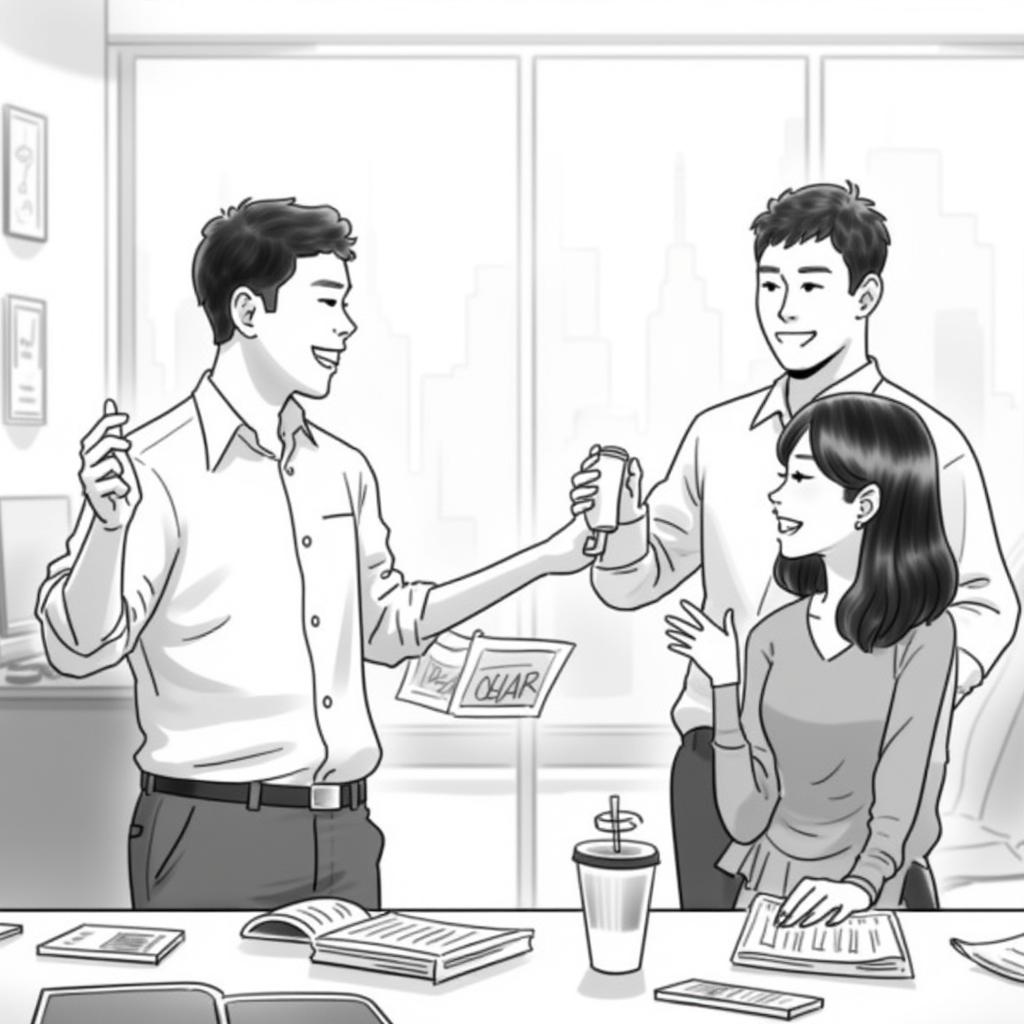
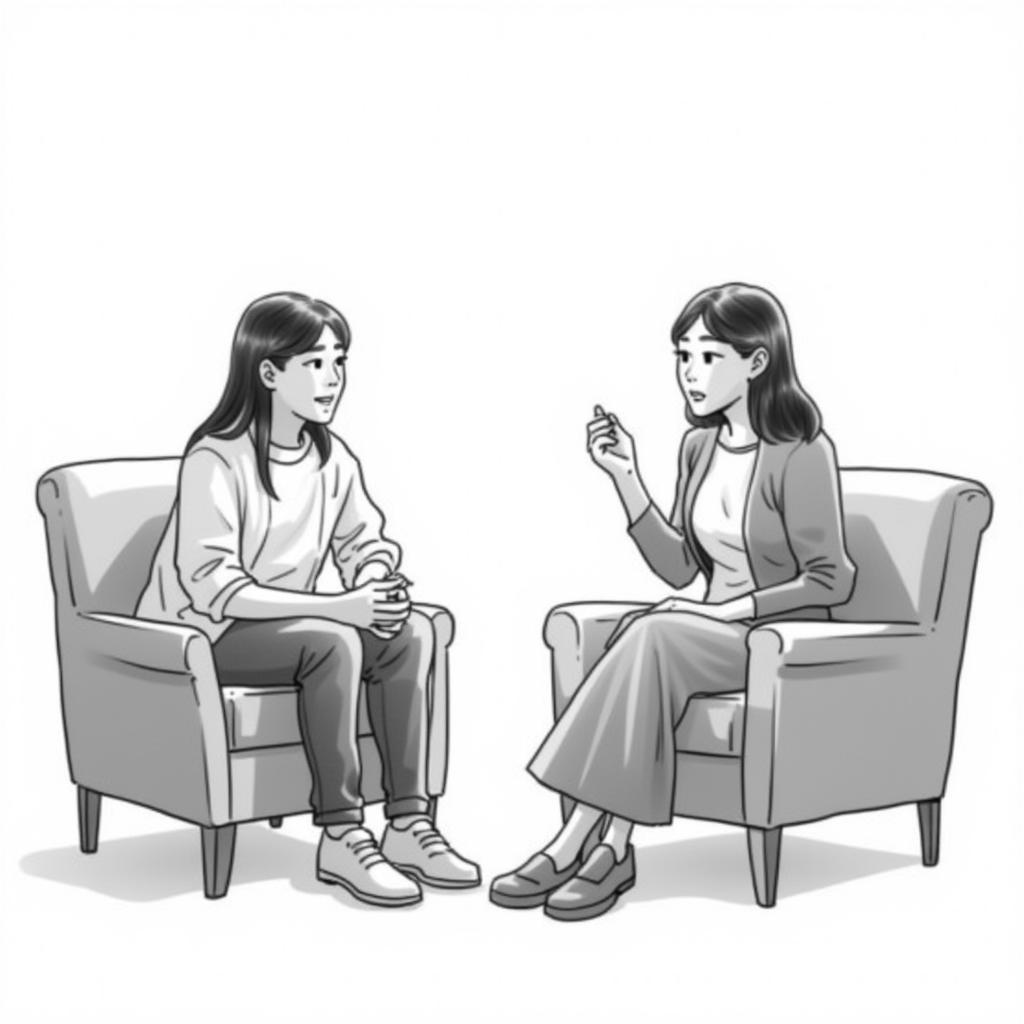
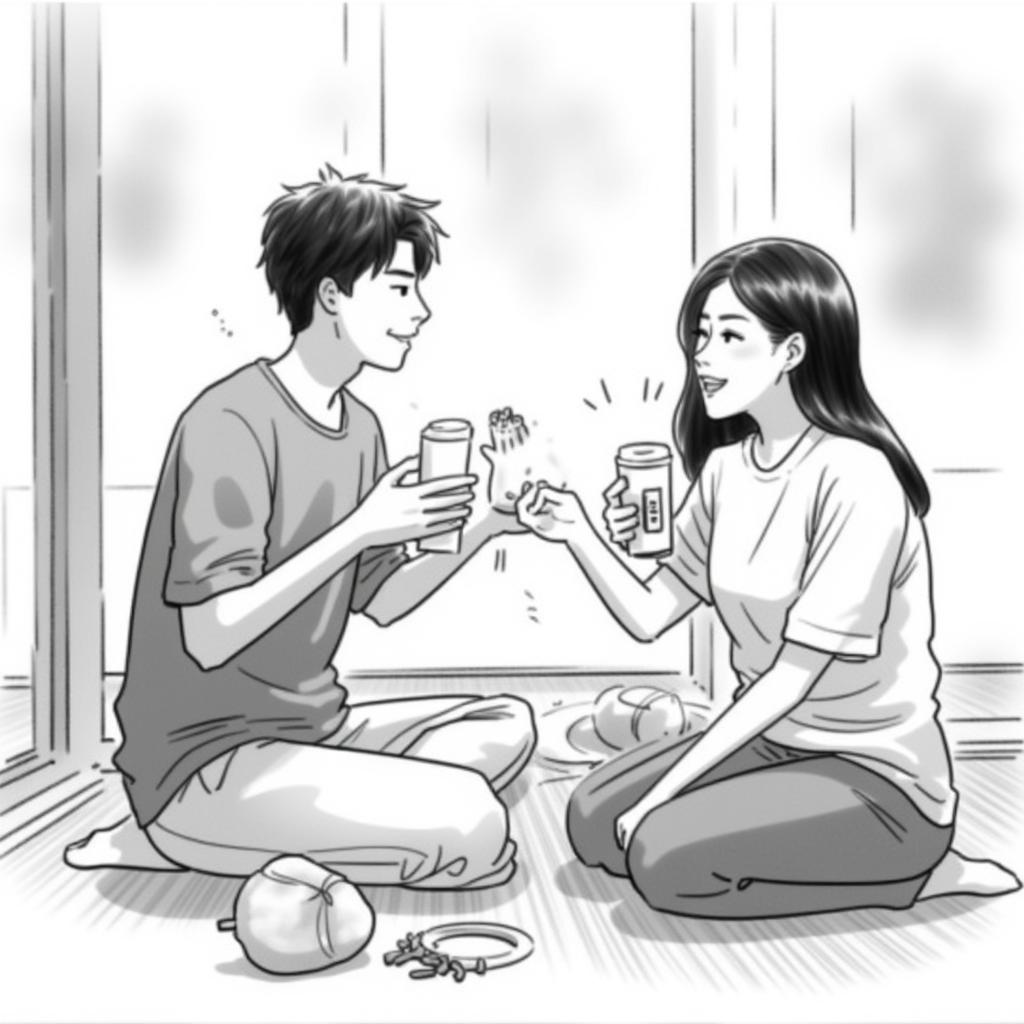
100장 Fine-tuned Model 생성결과: storyboard-scene-generation-model-flux-v3-h
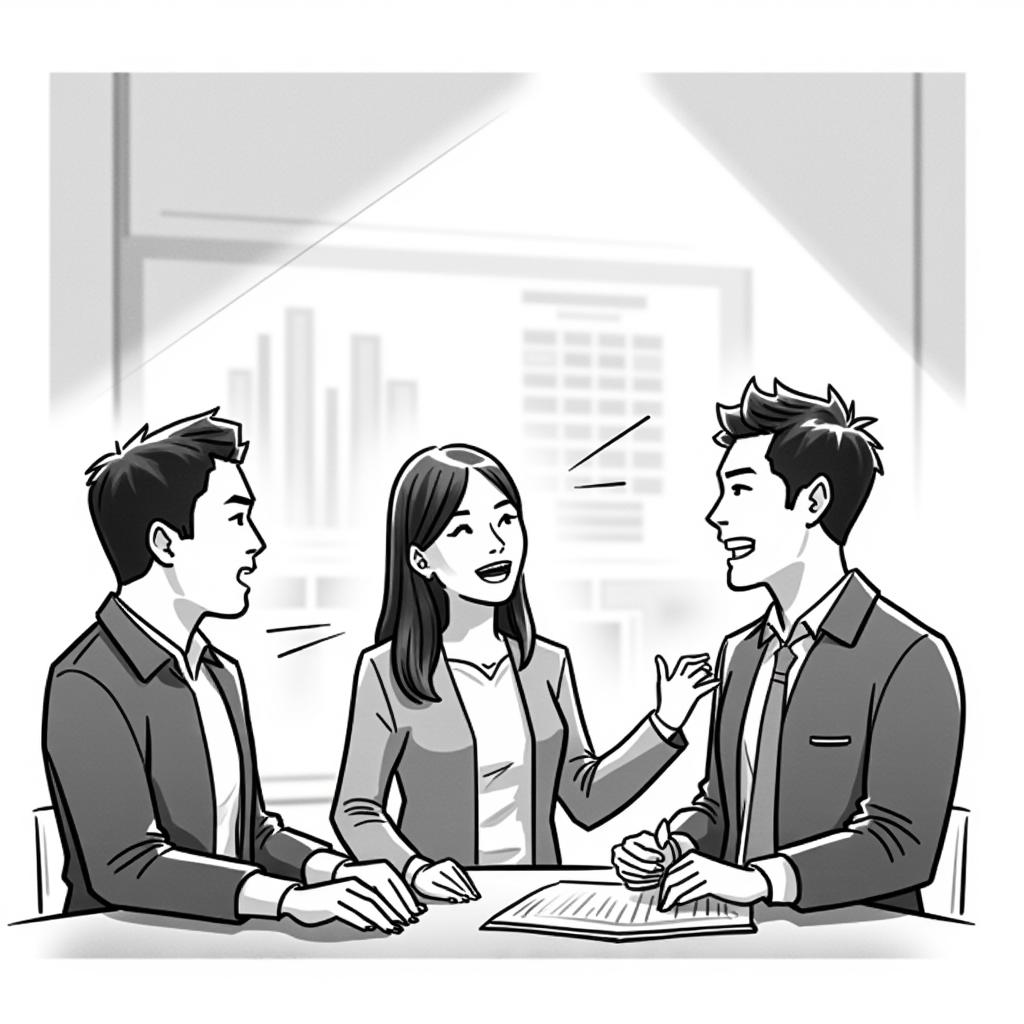

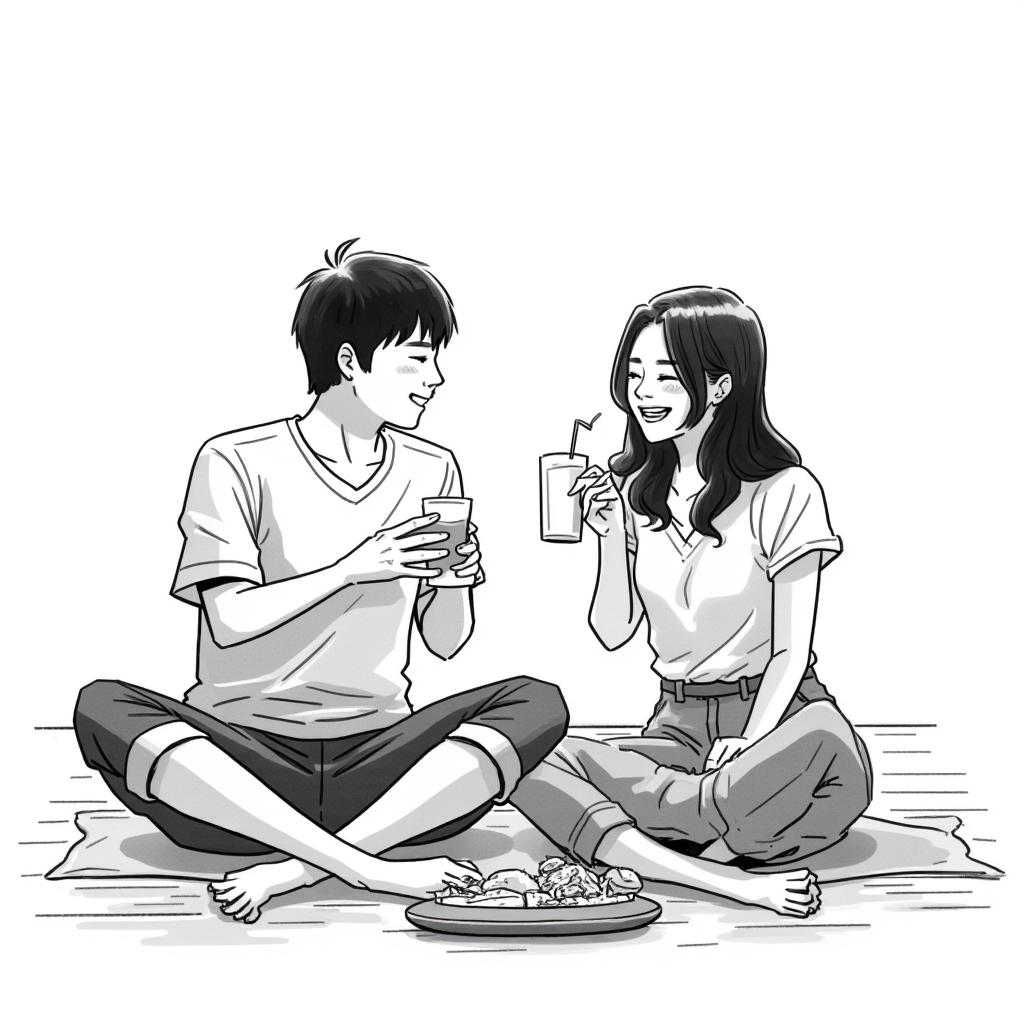
| 스케치 스타일 구현 | 학습데이터 스타일 학습 | 스타일 유지 | |
| storyboard-scene-generation-model-flux-v3-F | 상 전반적으로 스케치와 같은 느낌을 준다(개인적인 기준) | 전반적으로 학습데이터의 스타일과 유사하게 만들어 졌다. | 일관적으로 스타일이 유지가 됐다. 배경이 다르다 느껴질 수 있으나 이는 배경에 대한 Prompt를 추가하 않아서이다. |
| storyboard-scene-generation-model-flux-v3-h | 중상: 전반적으로 선명도가 높아져서 의도 했던 스케치와는 다른 느낌이다. | 학습데이터에서 스탕일 몇몇 사진에는 보이나 일관적이지 않고 남자의 모습이 Streotyping된 상태이다. | 상대적으로 50장을 기준으로 스타일이 일관적이지 못하다. |
Learning Rate 결과 비교
100장 Learning Rate High Fine-tuned Model 생성결과: storyboard-scene-generation-model-flux-v3-H-T
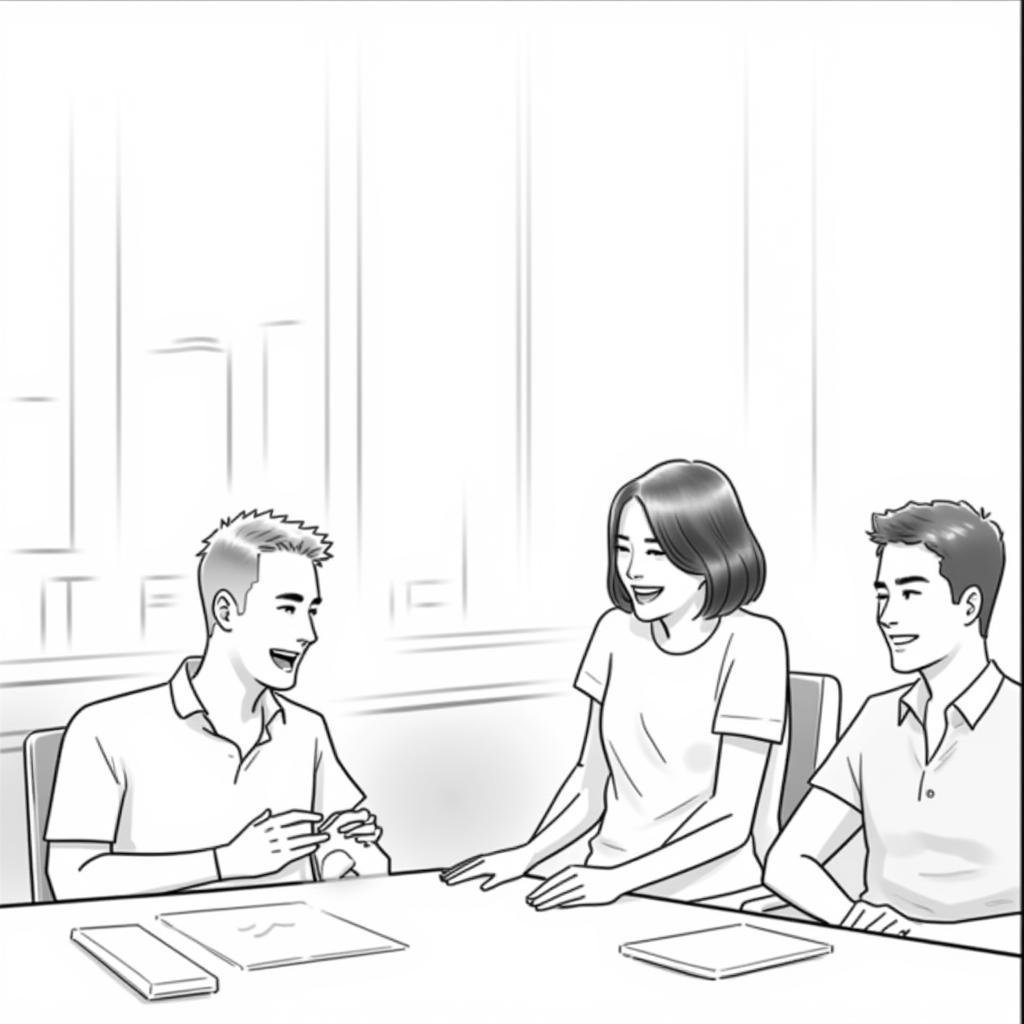
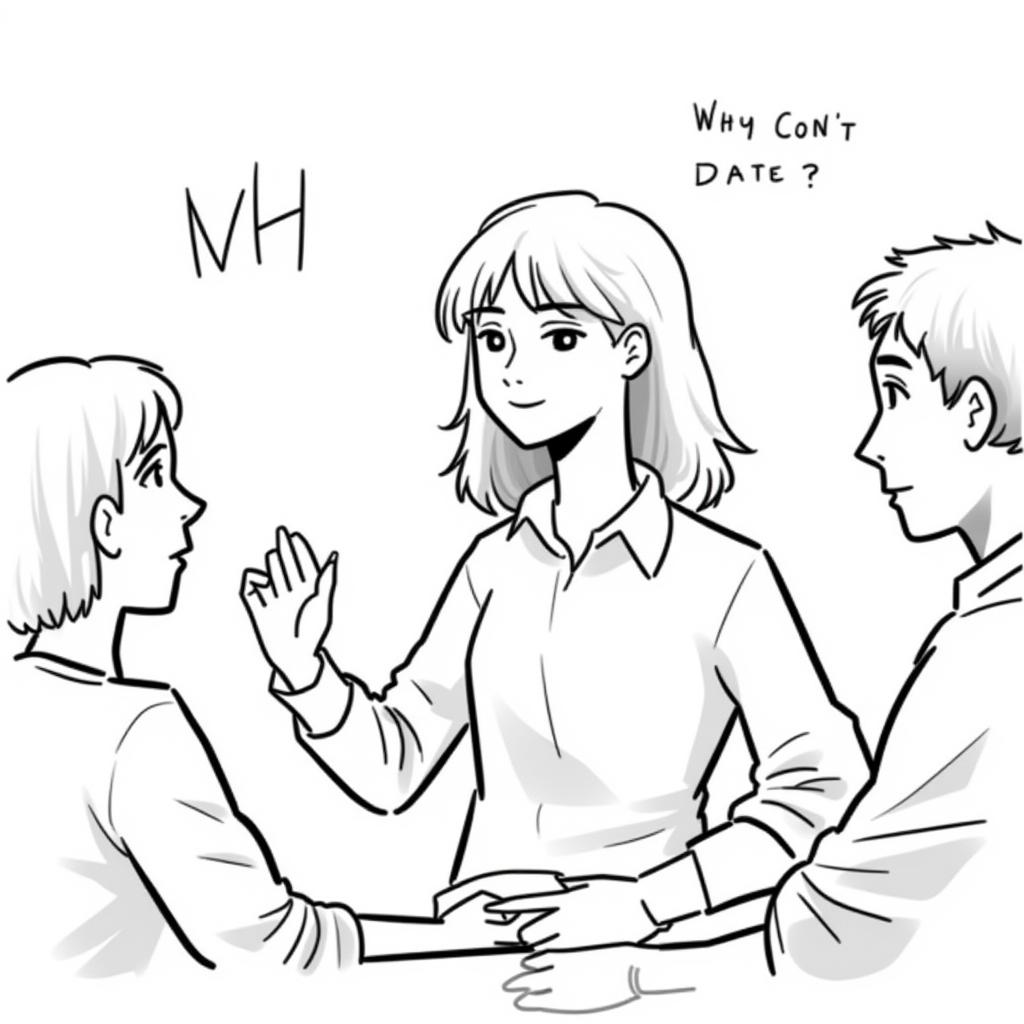
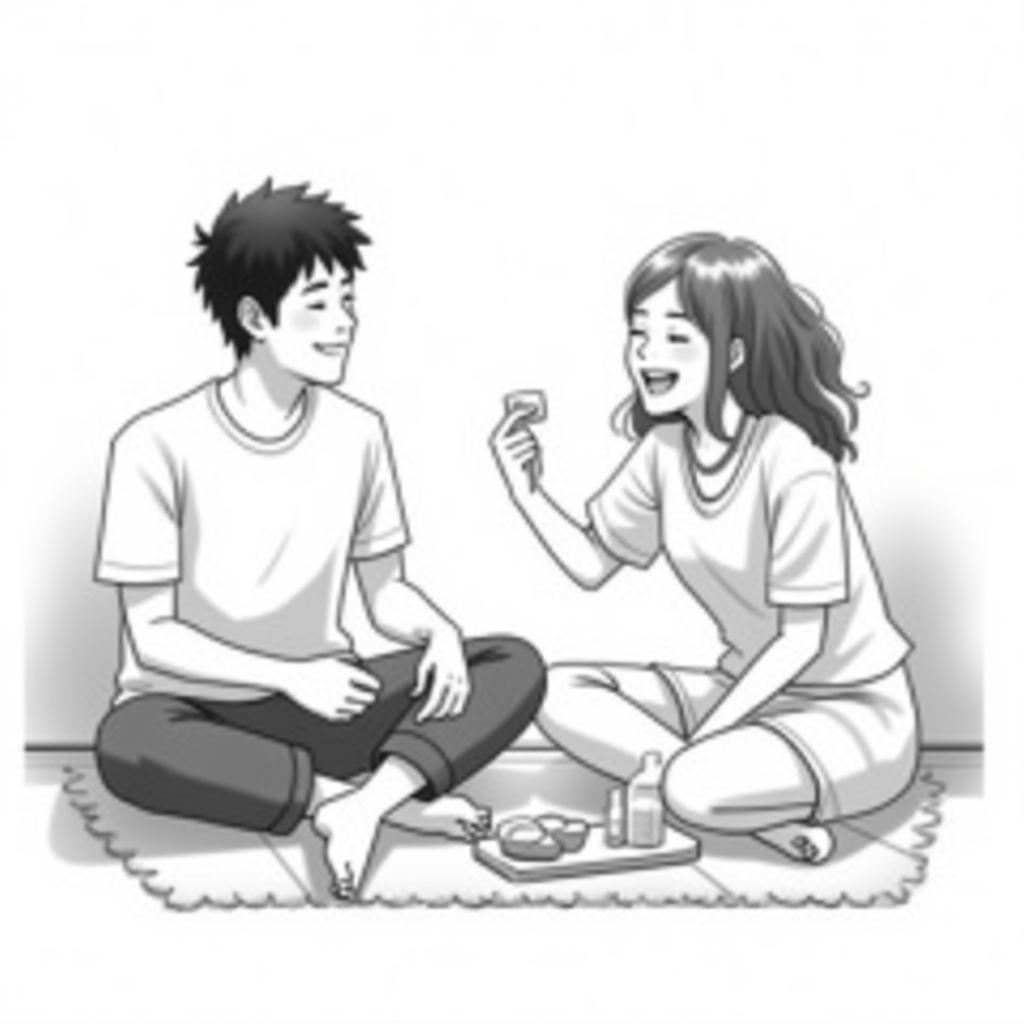
100장 Learning Rate High Fine-tuned Model 생성결과: storyboard-scene-generation-model-flux-v3-F-T

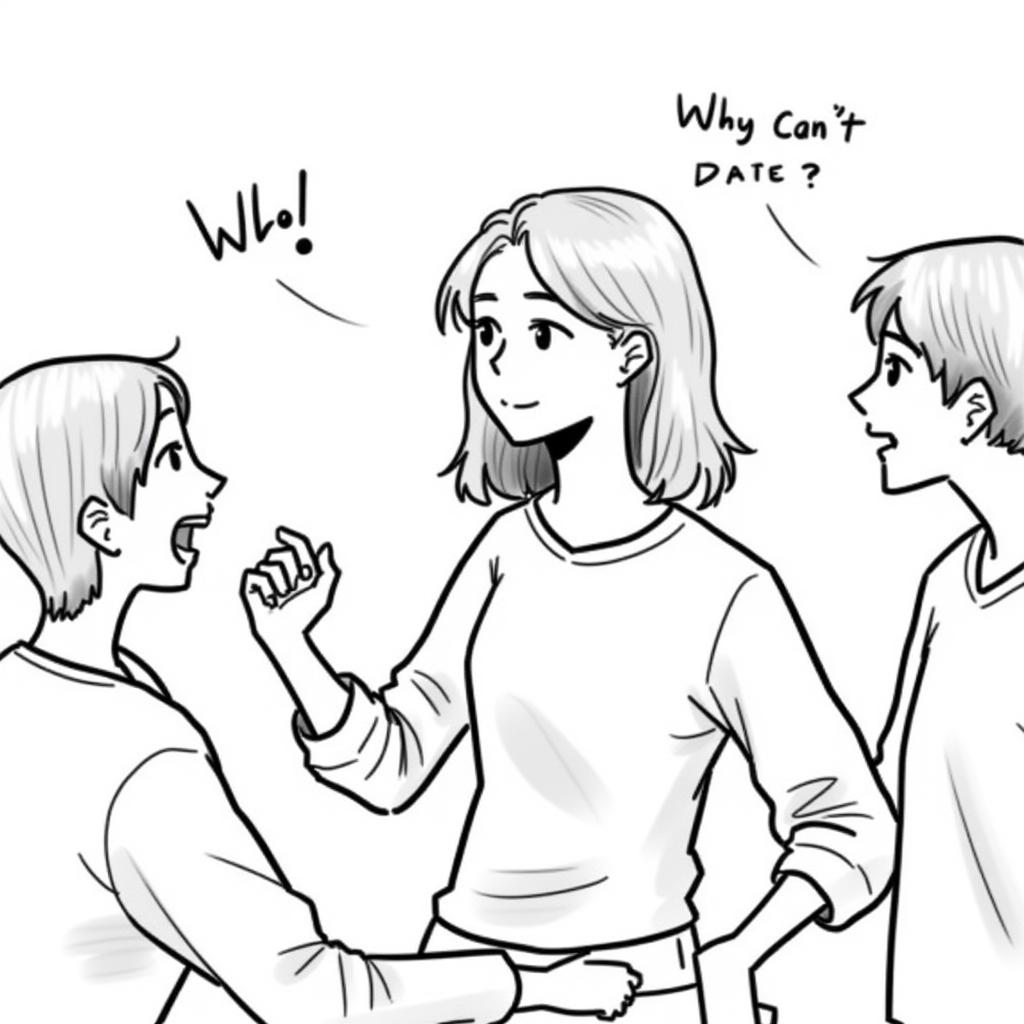
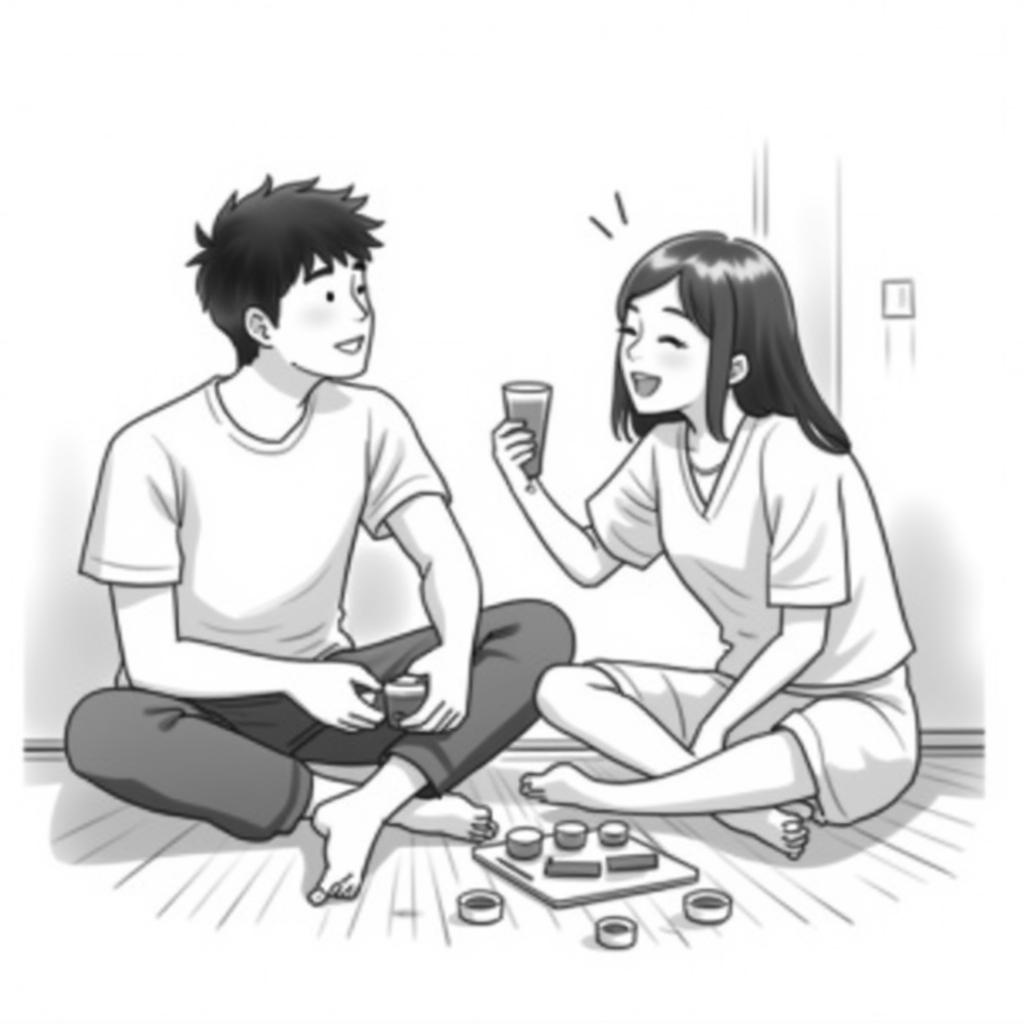
*당시 Caption 전처리 테스트와 다른 테스트를 동시에 진행했던 관계로 명칭에 혼동이 있습니다.
문제상황: 학습데이터와 전혀 다른 스타일과 스타일 일관성 회손
train:
  batch_size: 1
  # ENG: total number of steps to train 500 - 4000 is a good range
  # KOR: 500 - 40000이 훈련하기 좋은 횟수입니다.
  steps: 2000
  gradient_accumulation_steps: 1
  train_unet: true
  # ENG: probably won't work with flux
  # KOR: Flux에 해당사항 없습니다.
  train_text_encoder: false
  # ENG: need the on unless you have a ton of vram
  # KOR: VRAM이 엄청 많은게 아니라면 내비두세요.
  gradient_checkpointing: true
  # ENG: for training only
  # KOR: 훈련할 때만
  noise_scheduler: "flowmatch"
  optimizer: "adamw8bit"
  lr: 1e-4
  # ENG: uncomment this to skip the pre training sample
  # KOR: Training Sample을 무시하고 싶다면 주석해제
  # skip_first_sample: true
  # ENG: uncomment to completely disable sampling
  # KOR: 학습중 생성되는 샘플을 생성하기 싫다면 주석해제(생각보다 샘플 생성으로 시간을 많이씁니다.)
  # disable_sampling: true
  # ENG: uncomment to use new vell curved weighting. Experimental but may produce better results
  # KOR: Vell Curved Weighting을 쓰고 싶다면 주석해제 하세요. 실험적이지만 생각보다 좋은 결과가 나올수 있답니다.
  # linear_timesteps: true
  # ENG: ema will smooth out learning, but could slow it down. Recommended to leave on.
  # KOR: 내비두셈
  ema_config:
    use_ema: true
    ema_decay: 0.99
  # ENG: will probably need this if gpu supports it for flux, other dtypes may not work correctly
  # KOR: GPU가 사용가능하다면 그대로 두세요. 다른 데이터 타입은 아마 안될겁니다.
  dtype: bf16
config.yaml에는 위와 train과 관련된 내용을 수정할 수 있는 부분이 있다. 여기서 learning rate을 수정하기로 결정한 이유는 간단했다. Learning Rate의 경우 학습과정 중 얼마나 영향을 줄 것인지를 결정하는 부분이다. HuggingFace에 따르면 기본적으로 1e-4로 설정 돼있고 안정적인 학습이 가능하다면 높여보는 걸 시도해 봐도 좋다고 했다. 하지만, 반대로 현재 Fine-tuning에서의 Learning Rate의 역할을 정확히 확인해 보기 위해 낮춰 봤다.(추가적으로 생성결과는 이미 일정 수준을 도달했다고 판단했기 때문에 학습의 목적이 크다.)
그리고 Learning Rate이 모델의 파라미터, Weight에 영향을 어느 정도로 주는지를 결정할지에 대한 수치라는 걸 채감하게 됐다. 여기서 보면 생성된 결과물들의 그림체가 전혀 일치하지 않는다는 것을 알 수 있다. 하지만 동시에 어떤 결과에서는 생각보다 학습데이터의 스타일이 많은 부분 적용됐다. 이 말은 결국 Learning Rate가 낮게 된다면 학습데이터가 가지고 있는 특징들이 적용되는 부분이 낮아진다는 사실이었다. 그래서 결론적으로 Learning Rate은 기본에서부터 높여 보는 게 좋다는 결과로 이어졌다. 그리고 마지막으로 50장이 100장보다 좋은 결과를 보인다.(물론 이점도 현재 적은 Prompt를 사용하기에 나온 결론이다.)
최종 Fine-tuning 결과
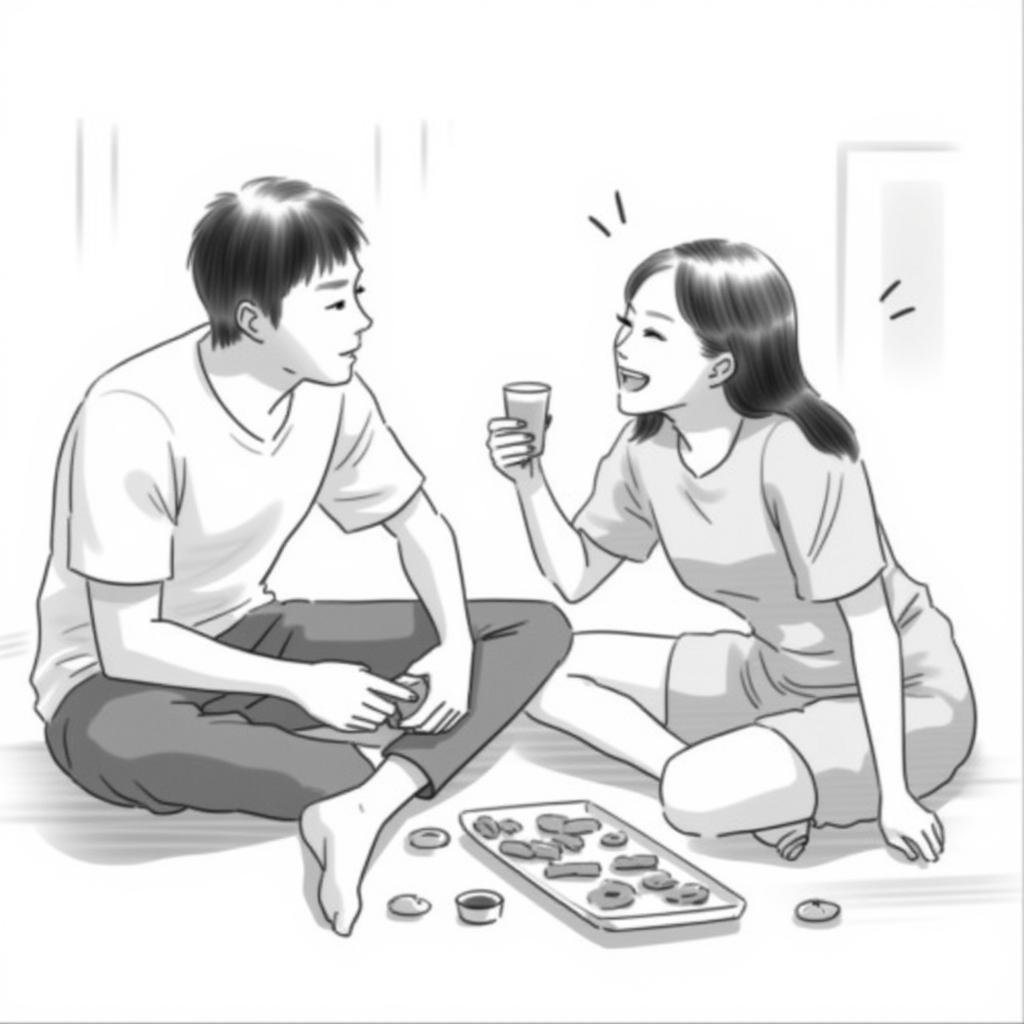
현재까지의 결과를 정리해 보면 결국 '학습데이터'와 학습데이터를 설명하는 Prompt가 중요했다. 학습방식 설정은 생각보다 큰 영향을 주지는 못했다. 단, 50장과 100장을 비교하고 학습 횟수를 최대한으로 높인 다음 중간 저장된 결과물을 비교해 보는 게 가장 최적이라고 판단했다. 그래서 Learning Rate을 유지한 체 50장과 100장의 학습데이터로 2500회 학습하여 아래의 결과물이 완성됐다.
50장 Learning Rate High 결과


100장 Learning Rate High 결과

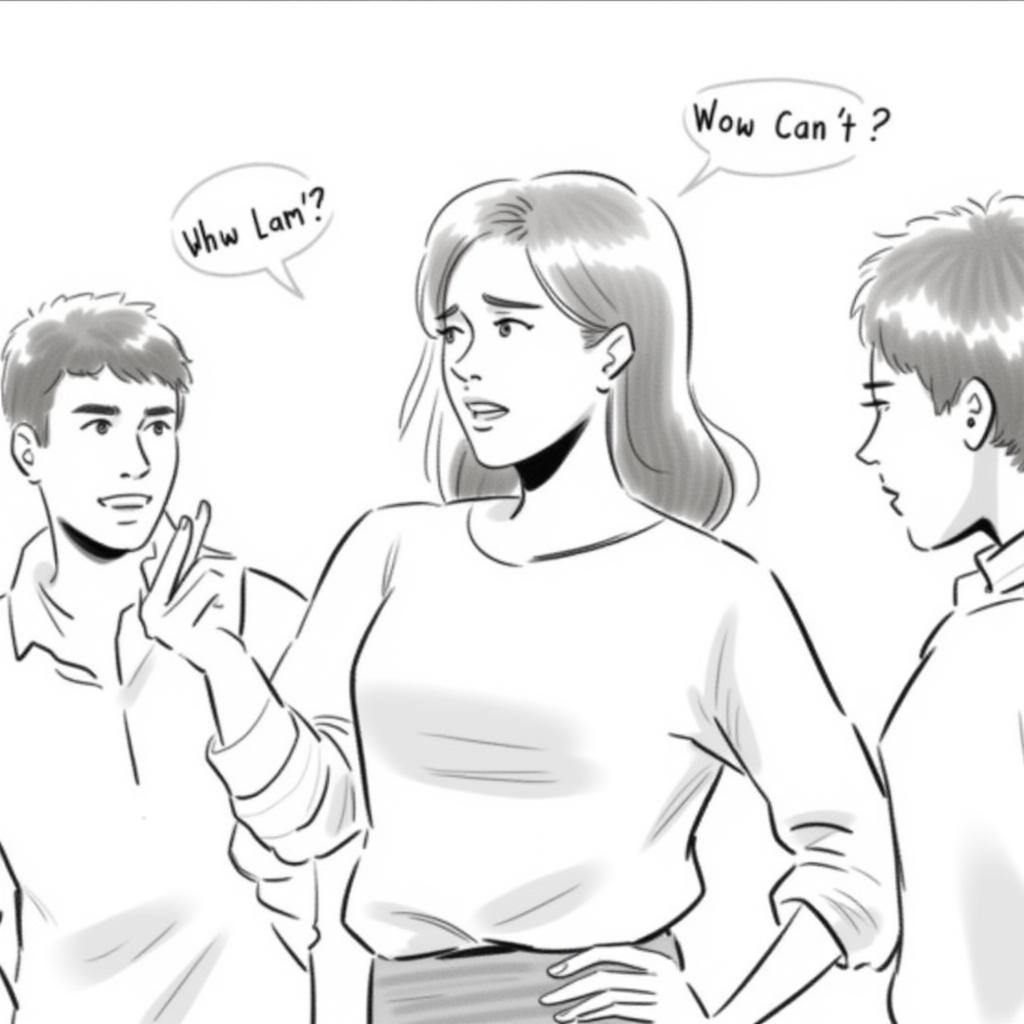
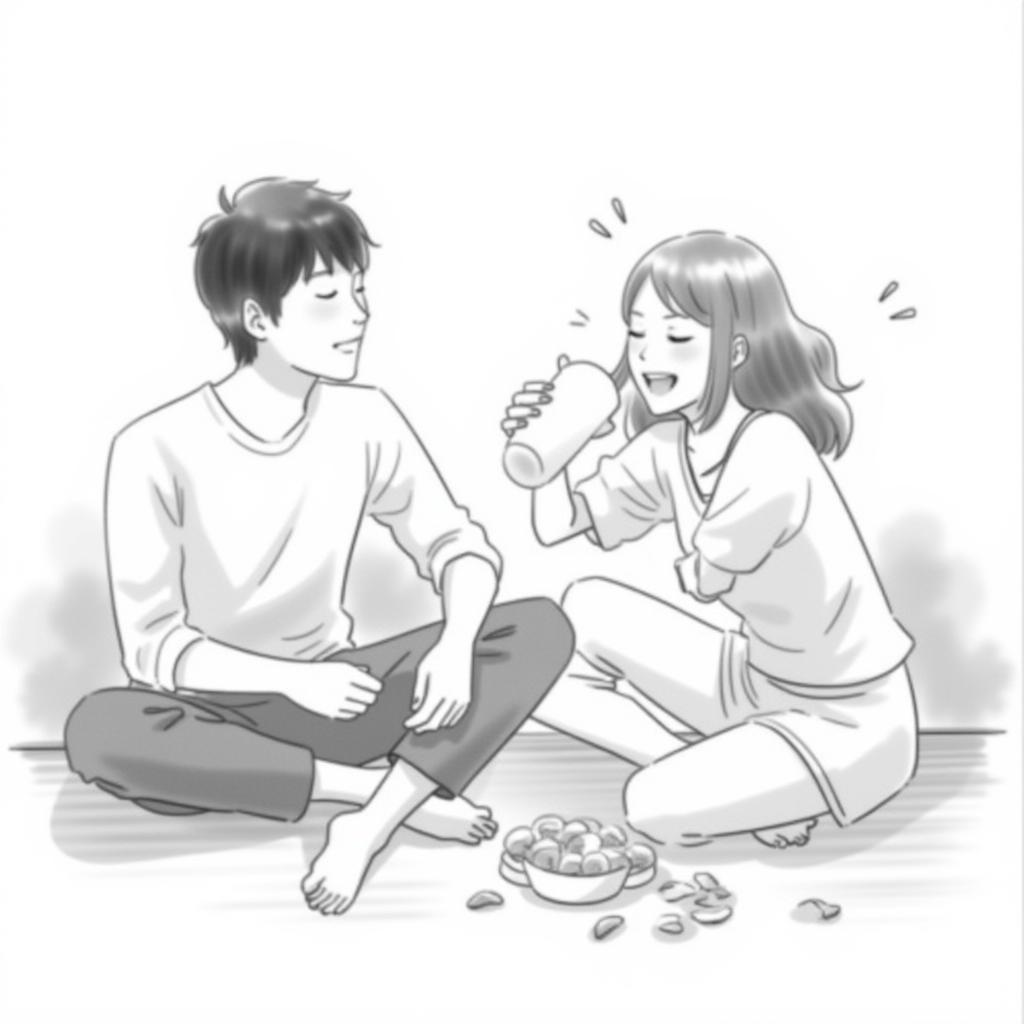
참고로 50장의 경우 가운데 사진은 다른 Prompt이다.(생성된 사진을 실수로 삭제했습니다.)
현재까지 비교를 사용한 Prompt는 아래의 이미지를 바탕으로 작성했다.
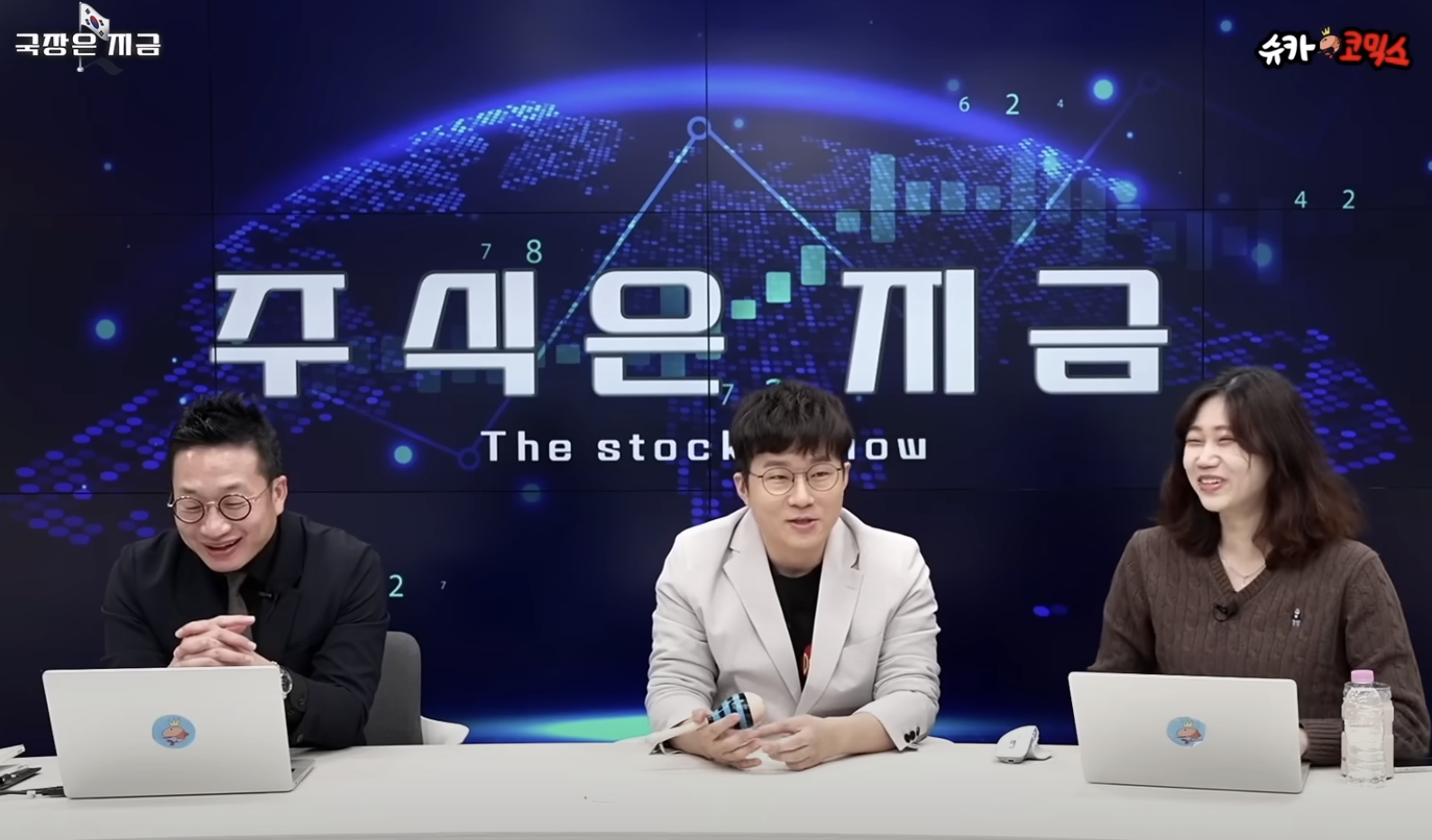

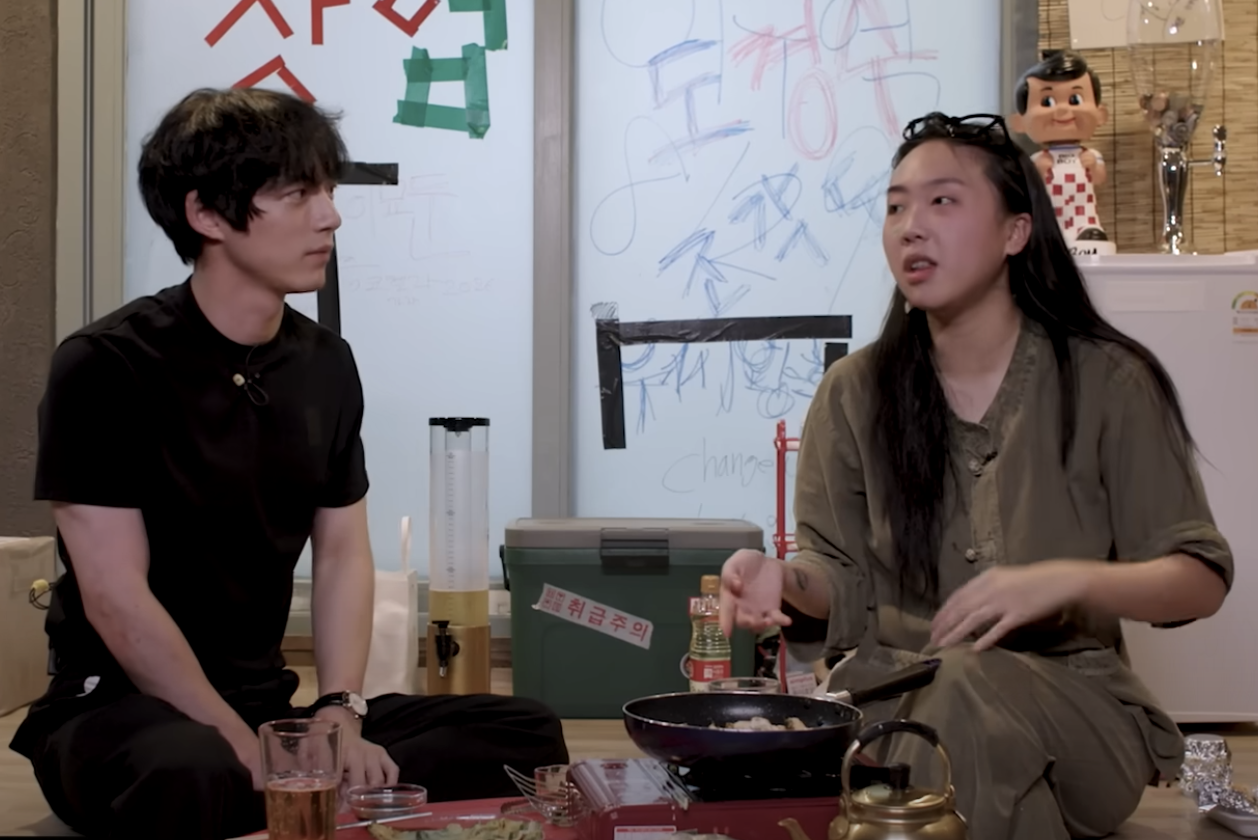
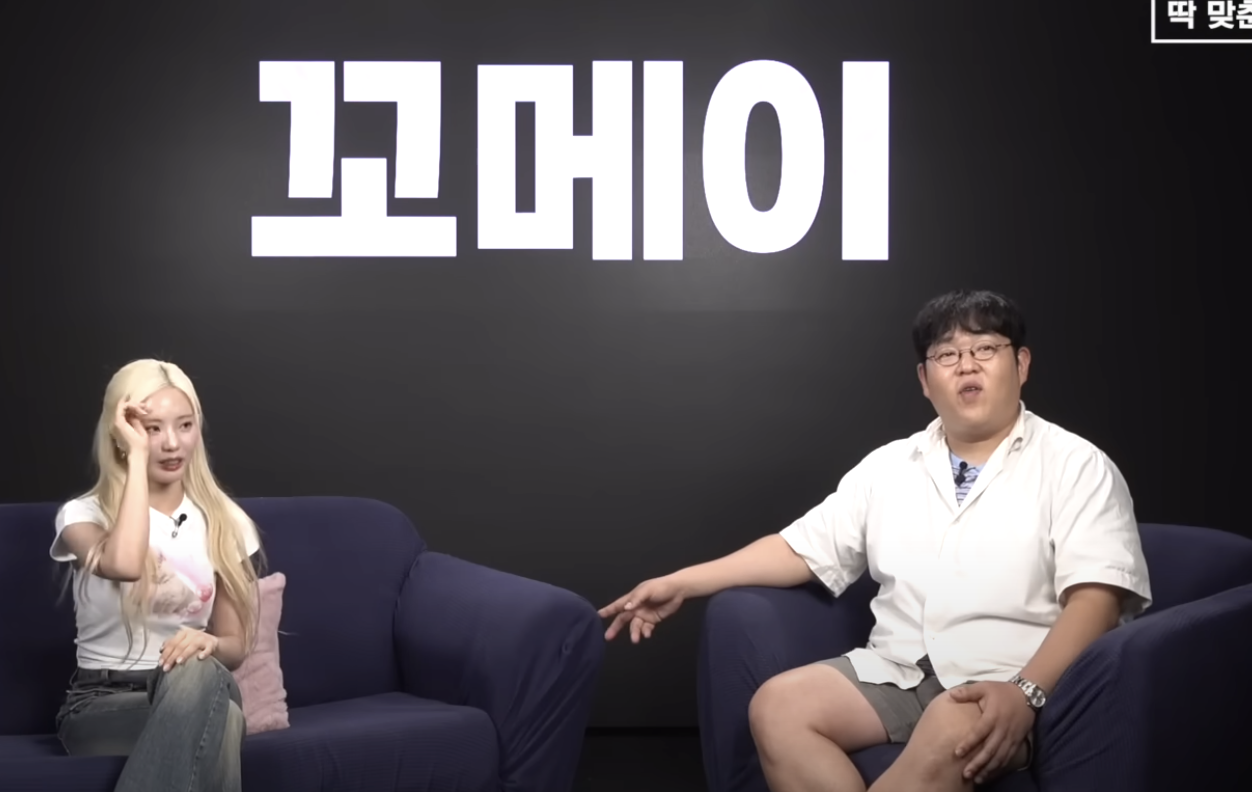
왼쪽 상단부터 오른쪽 하단까지가 공통적으로 사용한 사진이고 오른쪽 하단이 추가로 사용한 사진이다.
- 슈카코믹스월드: 주식은 지금
- 피식대학: 여우학개론
- 차린건쥐뿔도 없지만: 켄타로편
- 빠더너스: 딱대
직접 비교보다는 이 글을 읽는 사람들이 한번 비교해 보는 것도 나쁘지 않겠다는 생각에 준비해 봤다.
(어떤가요? 비슷한가요?)
그리고 아래의 코드를 입력하면 직접 사용해볼수있다.
*추천 시행환경: Colab기준 A100 혹은 GPU 40G 이상
# pip install --upgrade diffusers[torch]
from diffusers import AutoPipelineForText2Image
import torch

pipe = AutoPipelineForText2Image.from_pretrained('black-forest-labs/FLUX.1-dev', torch_dtype=torch.bfloat16).to('cuda')
pipe.load_lora_weights("jwywoo/storyboard-scene-generation-model-flux-v3-FLH")

prompt = "[trigger] black and white color illustration, two asian males in their late 30s and one asian female in her late 20s having a conversation about economic issue in a newsroom, while laughing and arguing"
image = pipe(prompt).images[0]

image.save("my_image.png")
그리고 아래의 링크를 통해 최종으로 Fine-tuning된 결과를 확인할 수 있다.
jwywoo/storyboard-scene-generation-model-flux-v3-FLH
jwywoo/storyboard-scene-generation-model-flux-v3-FLH · Hugging Face
storyboard_scene_generation_model_flux_v3_FLH Model trained with AI Toolkit by Ostris Prompt [trigger] black and white color illustration, two asian males in their late 30s and one asian female in her late 20s having a conversation about economic issue in
huggingface.co
jwywoo/storyboard-scene-generation-model-flux-v3-HLH
jwywoo/storyboard-scene-generation-model-flux-v3-HLH · Hugging Face
storyboard_scene_generation_model_flux_v3_HLH Model trained with AI Toolkit by Ostris Prompt [trigger] black and white color illustration, two asian males in their late 30s and one asian female in her late 20s having a conversation about economic issue in
huggingface.co
전체코드는 Github에 올라왔으나 현재 오류로 인해 보여지지 않는 상황이라 수정후 업데이트될 예정이다.
드디어 기나긴 Fine-tuning과정이 끝났고 다음 포스팅은 Project: Joing 마무리 및 회고로 이어질 예정이다.
부족한 설명 정말 죄송합니다.
Project Joing - Outro: 마무리 및 회고
*주의!* 작년에 정리하지 못했던 Project Joing의 문서입니다. 포스팅은 아래의 순서로 진행될 예정입니다.이미지 생성 모델 선정 3 - Flux.1 Schnell vs Flux.1 DevFlux.1 Dev Fine-tuning: LoRa & PEFTFlux.1 Dev Fine-tuning
youcanbeable.tistory.com
'AI > Projects' 카테고리의 다른 글
| Project: 온 세상이 주식이야 - Outro (1) | 2025.05.22 |
|---|---|
| Project Joing - Outro: 마무리 및 회고 (0) | 2025.05.16 |
| Project Joing: StoryBoard Generator(콘티 생성기) Flux.1 Dev Fine-tuning: 학습 데이터 확보와 학습 계획 - 2 (1) | 2025.05.07 |
| Project Joing: StoryBoard Generator(콘티 생성기) Flux.1 Dev Fine-tuning: 학습 데이터 확보와 학습 계획 (0) | 2025.04.30 |
| Project Joing: StoryBoard Generator(콘티 생성기) Flux.1 Dev Fine-tuning: AI-Toolkit (0) | 2025.04.28 |